
Printing, sharing and the API
Everything here starts from the Print/Share button in the schedule's week bar; see The schedule for where that sits.
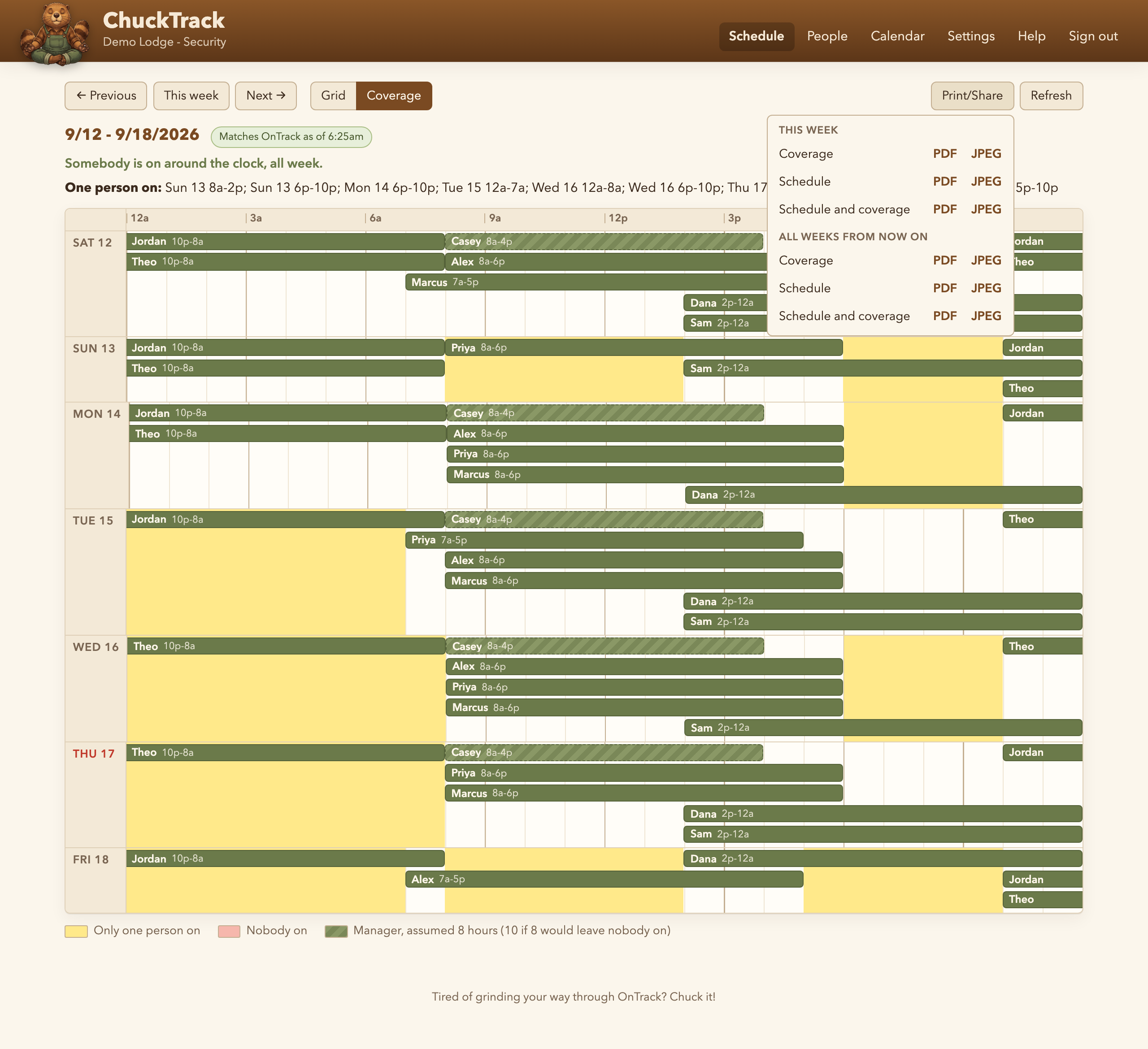
PDF and JPEG
Three sheets, each as a PDF or a JPEG. Schedule is the grid, on a landscape page. Coverage is the timeline of who is on, on a portrait page. Schedule and coverage puts each week's grid and its timeline together in one file, all on portrait pages so it prints whole whichever way the printer is set. Whichever view you have open is listed first.
Each comes for this week on its own, or for every scheduled week from now on in one PDF or one long JPEG, which is handy for posting a season at once. The all-weeks download stops after two empty weeks in a row, and tops out at 52 weeks.
A download reads OnTrack first, the same way opening a week does, and the line under each week says when it was last updated. If OnTrack could not be reached, that line says the sheet may be out of date, so nobody pins up an old copy without knowing it.
A week for someone else's spreadsheet
On the grid, Copy leadership in the week bar copies this week's cells for the people ticked for it on the People page, one row each in grid order, seven days across, with no names or dates, ready to paste into the week's block of a spreadsheet. See The leadership copy for choosing who is in it and how the cells come out.
A calendar subscription for one person
Give someone their own email address on the People page and their link shows up right there, ready to copy - subscribe to it from Calendar, Outlook or phone, and it stays current on its own. Lost the link? Anyone with an address on file can get it resent from the calendar link page, no ChuckTrack account required.
The read-only API
A separate kind of token, minted by Joe, unlocks a small JSON API: a department's or one person's schedule for a week or a day, read from ChuckTrack's own cache rather than a live OnTrack read. It can only read - nothing sent to it ever changes a schedule. A calendar link's own token does not open the API; it fetches one person's calendar and nothing else.